> ## Documentation Index
> Fetch the complete documentation index at: https://docs.vxplain.com/llms.txt
> Use this file to discover all available pages before exploring further.
# Quickstart
> Get started with Vxplain in minutes. This guide walks you through installing the extension and generating your first architecture diagram.
This guide will help you get started with Vxplain. You'll learn how to install the extension and generate your first [architecture diagram](/src/features/arch-diagrams).
## Installation
1. Open Visual Studio Code/Cursor/Windsurf.
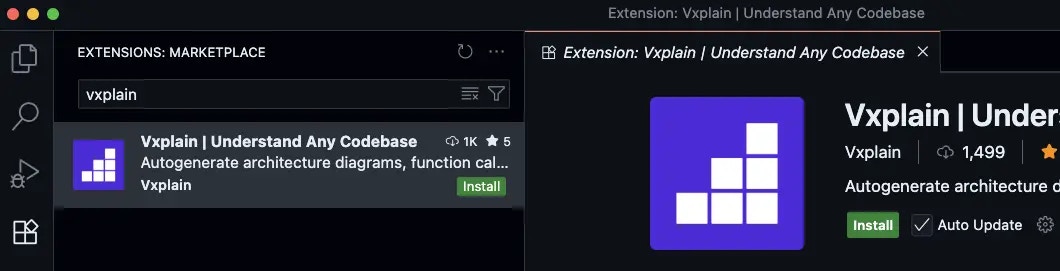
2. Go to the Extensions view by clicking on the Extensions icon in the Activity Bar on the side of the window or by pressing `Ctrl+Shift+x` or `Cmd+Shift+x` on Mac.
3. Search for `vxplain` in the Extensions view search bar.
4. Click the `Install` button for the Vxplain extension.
 ## Generating Your First Architecture Diagram
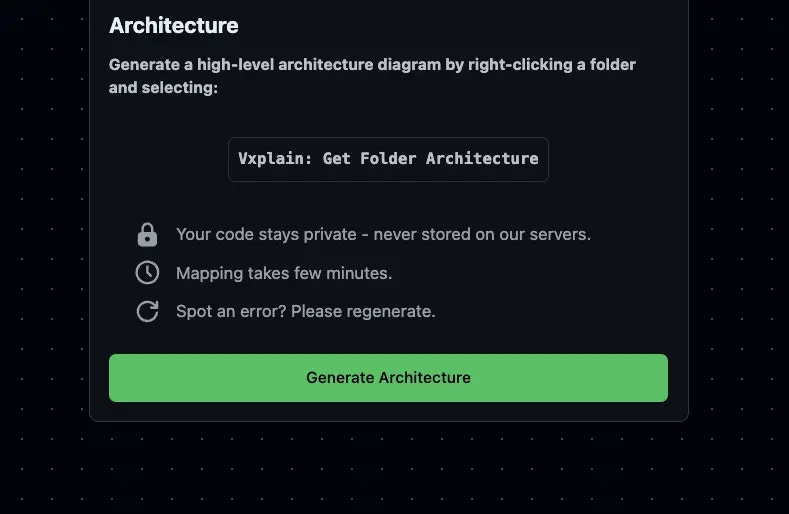
Once you have installed Vxplain, you can generate an architecture diagram of your codebase.
1. Open your project in Visual Studio Code/Cursor/Windsurf.
2. Click on the Vxplain logo in the sidebar.
3. Click on `Generate Diagram`.
Vxplain will analyze your codebase and generate an interactive architecture diagram. You can then explore the diagram to understand the structure of your code.
## Generating Your First Architecture Diagram
Once you have installed Vxplain, you can generate an architecture diagram of your codebase.
1. Open your project in Visual Studio Code/Cursor/Windsurf.
2. Click on the Vxplain logo in the sidebar.
3. Click on `Generate Diagram`.
Vxplain will analyze your codebase and generate an interactive architecture diagram. You can then explore the diagram to understand the structure of your code.
 ## Next Steps
Now that you've generated your first architecture diagram, you can explore more of Vxplain's features:
* [View Call Graphs](/src/features/call-graphs)
* [Explore the Directory Tree](/src/features/directory-tree)
* [Generate Code Summaries](/src/features/summaries)
## Next Steps
Now that you've generated your first architecture diagram, you can explore more of Vxplain's features:
* [View Call Graphs](/src/features/call-graphs)
* [Explore the Directory Tree](/src/features/directory-tree)
* [Generate Code Summaries](/src/features/summaries)